
Compilation error: expected ‘;’ before [SOLVED]
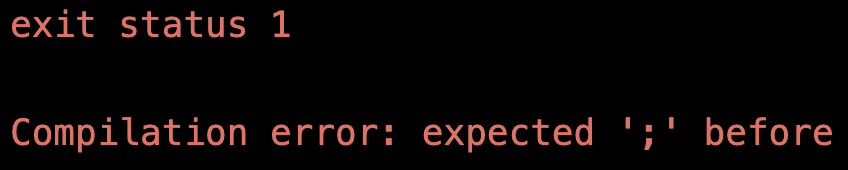
Compilation error: expected ‘;’ before …
Does this error message have you scratching your head? What’s the deal with the semi-colon? What about the squiggly lines in the error message, what does that mean?
Well, you’re not alone, because this might be the single most common error in Arduino programming!
But don’t sweat it, because it’s also among the easiest types of errors to fix.
In this lesson you’ll learn why this error happens and how to fix it. Plus I’ll perform a live video hypnosis to make sure it never happens again.
Why this error … expected ‘;’ ?
Here’s the deal: every complete code statement you write needs to end with a semicolon.
If you create a variable, you need a semicolon at the end. If you call a function, you need a semicolon at the end.
All code statements require semicolons at the end!
Programming Electronics Academy members, check out the Arduino Course for Absolute Beginners to jump start your Arduino programming skills.
Not a member yet? Sign up here.
Now, this isn’t true for all programming languages, but it’s true for coding with Arduino.
Arduino programming is really just C and C++ programming, but with some handy functions and a built-in way of structuring the program to make working with microcontrollers easier.
How to find the missing semicolon
The Arduino IDE provides a couple good methods for finding your missing semicolon.
The easiest place to start is with the visual indicator the Arduino IDE creates, where it highlights the line of code where it thinks you need to add a semicolon. Usually, this ends up being the line of code after where you missed your semicolon.
Sometimes though you get lots of errors and lots of highlights, and your next best bet is just to read the error message, it will often tell you exactly what line you’re missing your semicolon at.
Take a look at the text in this error message:
/Calibration/Calibration.ino:42:3: error: expected ';' before 'digitalWrite'

   digitalWrite(13, HIGH);
The first number after the name of the Arduino file and before error: expected ‘;’ is line of code you need to look around.
If you have a squiggly line in the error message, that’s just telling you exactly where you should be adding a semicolon before.

Finally, one little hint to see code that may be missing a semicolon is to apply auto-code formatting.
Why not auto-add a semicolon?! How Dumb!
Now you might be thinking to yourself a couple of things, like, why doesn’t the Arduino IDE just auto add a semicolon as needed?
Well, the thing is, sometimes it’s useful to have a single line of code span multiple lines. It makes reading the code easier.
The other thought you might have is, why even have semicolons? How lame! Python doesn’t use semicolons! Isn’t the compiler smart enough to know where the end of the code statement is?
I would say that while Python does not require semicolons, it is rather strict on the use of spacing.
Having programmed in both languages, I can tell you that spacing and semicolons are equally aggravating, at least to me 😉
So hey, it just is what it is…
Tricky semicolon errors
Personally, I think the error message “Compilation error: expected ‘;’ before” is pretty straightforward, but this won’t always be the case.
Sometimes, your missing semicolon error might show up as:
Compilation error: expected initializer before

Compilation error: expected ',' or ';' before 'int'
In these cases, the solution is still the same. Look where the Arduino has highlighted or read the error message and find the line of code referenced.
Usually, this will get you into +/- 3 lines where you need to add a semicolon.









I love your tutorials and explanations.
Thank you so much
Thanks so much Ricard!