
Arduino AppLab Bricks → Marketing Garbage or New Powerful Interface?
Do you have an Arduino UNO Q, or are you on the waitlist for an Arduino Ventuno Q?
If so, then I am guessing you have used the new Arduino AppLab IDE.
And you might be wondering what the heck these things called “Bricks” are?
Is the term “Brick” just a bunch of marketing garbage?
To get to the bottom of this, it’s important that you understand a little bit about the new Arduino AppLab.
Arduino AppLab
AppLab allows you to write Python and Arduino code side by side – that will be loaded to an Arduino Q family of boards – either the Arduino UNO Q, the up and coming Ventuno Q, and I can guarantee, a host of other Q Family boards down the road.
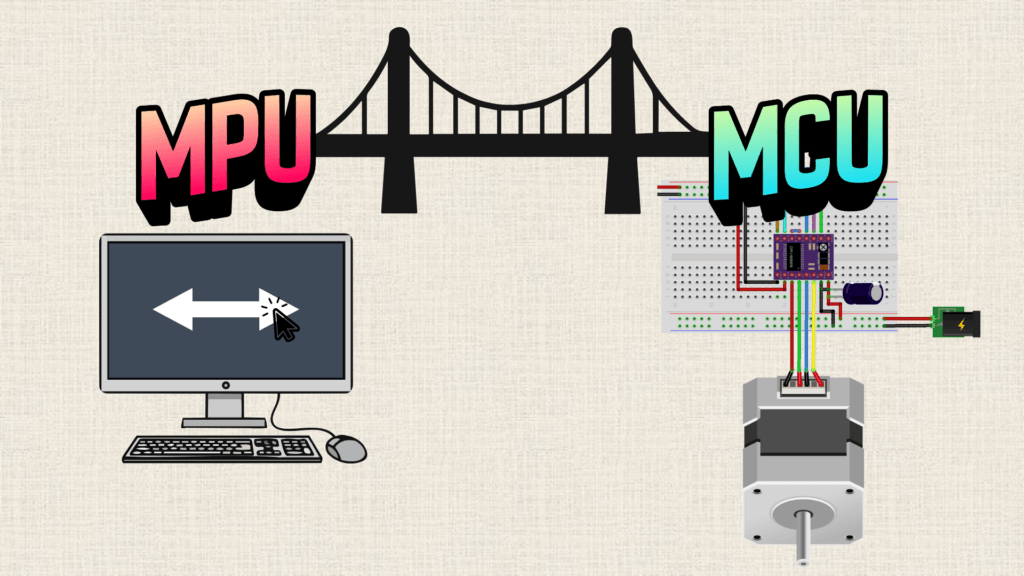
These Q family boards have a “Dual Brain”, that is they have a fast processor – like something you’d find on a smart phone or even a laptop AND they have a microcontroller, like you’d expect to find on a traditional Arduino board.
The Python code you write in AppLab runs on the fast processor and the Arduino code runs on a microcontroller.
Through a bridge library, these two processors are able to talk.
OK, there’s your quick intro to AppLab and Arduino Q boards…
So what the heck is a “Brick” exactly?
According to Arduino bricks are…
“modular software components that add ready-to-use functionalities to your projects”
But doesn’t that sound a lot like a code library?
I mean, when they say “brick” is that just marketing speak for “code library”?
All of the brick code, not to mention all of AppLab is open source software under the Mozilla Public License 2.0.

If you start digging into the bricks source code – you can see, they have importable python modules.
If you’re coming from Arduino coding, and not familiar with Python, a Python module is to a Python program, like an Arduino library is to an Arduino sketch. It’s just a code library.
So you might be tempted to think that “Brick” is just a bunch of marketing jargon for a python module? Right?
Well, let’s hold our horses for a second – because this brick repository also has a docker_compose.yaml file in it.
Docker in AppLab Bricks?
If you’re not familiar with docker – it’s basically a way to launch a program on your computer, but have it isolated from everything else on your computer.
The reason docker is super popular is because it allows people using different computer setups to run the same program without any additional installation or cross compatibility issues. docker builds what is called an image – and any computer with docker installed could run the same image, whether it is Windows, macOS, or Linux.
So what is happening in this brick is way more than just a simple python module import.
The whole picture looks like this:
→ A docker container is being created that is running an AI Model that exposes a simple API.
→ The python module you import, provides you easy to use functions to communicate from your AppLab python main file to the AI docker container.
So clearly, a brick is not just a python package. But, that’s not the full truth.
Because some Bricks are just Python modules – they don’t launch separate docker containers.
As far as I can tell, every brick that has an AI tag, launches a separate AI model in a docker container.
AI + Arduino has arrived
Here is what is crazy about all this – this whole docker and AI model thing might sound super complicated – but in Arduino fashion, it’s all handled for you behind the scenes.
Here is where I am super excited.
Maybe you’re interested in running different AI models, but you’re not sure how to tie them into interesting workflows that actually take action in the real world.
AppLab allows you to easily spin up an AI model – one line of code – and then you can use it with super simple functions.
Remember the first time you blinked an LED with Arduino?
digitalWrite(ledPin, HIGH) – turn on LED – digitalWrite(ledPin, LOW) – turn off an LED – call me a geek but it was a rush!
I felt like I had an entire new digital electronic world at my fingertips.
Fast forward to AppLab – In a few lines of code I can turn on LED if a person is seen in a USB Camera feed.
And here’s my prediction – Arduino is going to go All In on these AI Bricks – right now there’s probably like 12 to 15 AI bricks – but I think the number is going to explode exponentially. You know how there are kajilions of Arduino libraries available? I am near certain that is what is going to happen with AI bricks.
If you’re interested in learning more about using Arduino AppLab, and the new Dual-Brain Arduino Q family of boards, get on the waitlist for our AppLab and Q Course here.









