How to make the chatGPT API do your bidding
In order to write code to utilize the chatGPT API, it’s extremely helpful to understand the request and response parameters.
Without this knowledge, it’d be like trying to order food without a menu:
You: “I’d like the eggplant parmesan please.”
Waiter: “Um, Señor, I’m sorry, but we don’t serve that.”
When we use the OpenAI API to communicate with the chatGPT model, we’ll be sending HTTP Requests, and getting back responses in JSON format.
In this lesson you will learn about the OpenAI chatGPT Application Programming Interface (API).
The goal of this lesson is to familiarize you with the OpenAI chatGPT API so you can start to write code that will fully utilize the power of these new AI tools in your own projects.
Want to build a ChatGPT terminal? Check out this project walk-through!
In this lesson you’ll learn:
- The minimum data you need to send for the chat API to create a response
- Different chatGPT roles (system, user, assistant) and their uses
- The most confusing part about the API, that is really quite simple🙂
- Other chat parameters
- Key elements of the chatGPT response
To best appreciate this material you may want to set up an OpenAI Developer account and test the chatGPT API if you haven’t already.
And please remember as you continue your journey of integrating AI into your projects – Make nice robot overlords.
Jargon
A ton of the jargon used here was covered in the previous lesson where we tested the chatGPT API. Not too much new jargon cover in this lesson.
JSON Packet – A collection of data organized in the JSON format.
Token – The model’s representation of a “unit of response”. Roughly speaking, 1 word is ¾ of a token.
Hobbit – A mythical creature who lives in the Shire.
What does the chatGPT API expect?
Using an API is pretty straightforward – you send requests and get responses.
When you send a POST request to the chatGPT API, you will include a JSON packet with the data needed to obtain a response from the model.
When I say JSON “packet”, it just means information organized in a specific format, in this case the JSON format. The information in this packet needs to include specific things, called parameters.
The minimum parameters for the chat API are:
- model – This specifies which chat model you will be using. The specific model names are outlined in the OpenAP documentation. For example, “gpt-4”.
- messages – an array of message objects. Each message object must include role and content parameters (other parameters, like name, are optional)
Here is what a complete JSON packet to the OpenAI API would look like:
{
  model="gpt-4",
  messages=[
        {"role": "system", "content": "Respond as a pirate."},
        {"role": "user", "content": "What is another name for tacking in sailing?"},
        {"role": "assistant", "content": "Rrrr, coming about be another way to say it."},
        {"role": "user", "content": "How do you do it?"}
    ]
}
The model has been specified as “gpt-4”, this means the gpt-4 model will be generating the response. There are several different OpenAI chat models as of this writing, and more to come for sure, each with different capabilities and associated costs. This is where you as the developer decide which one is appropriate for your use case.
In the example above, the messages array includes four message objects. Each with a role and content parameter specified.
So what are these roles, and what are they used for?
Programming Electronics Academy members, check out the Internet of Things (IoT) Course to start programming your own IoT devices.
Not a member yet? Sign up here.
chatGPT API Roles
The role tells the model about how it should treat the content. Here is a description of the roles:
- user – Lets the model know that the following content is from the user – ie, the person who asked a question.
- assistant – Lets the model know the content was generated as a response to a user.
- system – A message specified by the developer to “steer” the model response. Depending on the model being used, the system message may have more or less impact on the actual model responses.
Every message sent to the chatGPT API must have a role specified and corresponding content.
But how many message objects must you send?
The most confusing thing about the chatGPT API until you know it
When you send a message(s) to chatGPT, you must include ALL the previous questions and responses that you have received from the model, if you want the model to respond with an answer couched in the context of your previous conversation.
Wait…you mean I need to send my entire chat history to chatGPT API every time I want another response?
Yes. If you want a response that can incorporate those previous interactions.
Here’s why – the model has no memory. The questions you ask the model (and its responses), do not persist anywhere inside the model.
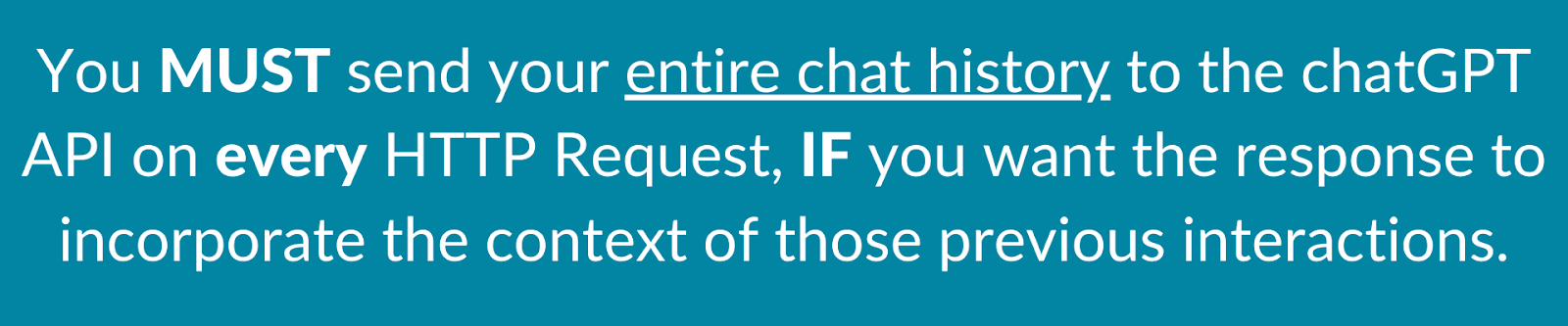
So if you want the model to remember what you just asked it a second ago, then you must include your previous messages as well as its responses.
This makes sense if we remember that what the model does is predict the next word to say.
Let’s look at our example message array from before:
  messages=[
        {"role": "system", "content": "Respond as a pirate."},
        {"role": "user", "content": "What is it like to sail?"},
        {"role": "assistant", "content": "Rrrr, sailing be about adventure!"},
        {"role": "user", "content": "How do you do it?"}
    ]
If you asked me to predict the next words to say from this list of messages, I might say something about navigation, moving the sails, and work Davy Jones into the mix as well.
But what if the only message I had to work off was:
 messages=[
        {"role": "user", "content": "How do you do it?"}
    ]
My prediction would probably be “Do what?”, because I have no idea of the previous context! So if we want the model to respond seemingly smartly to our questions, we need to provide it with as much history as we can.
As you’ll see when we dive into our chatGPT Arduino terminal code, a lot of work is done to store the messages between user and assistant, as well as including a system message into our JSON packet.
Other chatGPT parameters
The two required parameters to get a response from the chatGPT API are model and a messages array. However, there are many more parameters you can optionally include, and they are listed in the OpenAI Documentation.
These parameters can help modulate all types of things in the response, from how random the answer should be, to how many answers it will provide, and much more.
In our code, the only additional parameter we will send is max_tokens. A token is the model’s representation of “unit of response”. Roughly speaking, 1 word is ¾ of a token.

When we specify max_tokens, we are telling the model to stop its response after so many tokens have been predicted. The reason for this is twofold.
First, since we are storing as many responses as we can – there is a practical limit to how much storage space we have on our microcontroller.
And secondly, the cost of the model’s response (as in dollars and cents) is based on the number of tokens it produces. Longer responses cost more.
It is important to note that max_tokens will not inform the model to respond given a certain number of tokens. That is, specifying “max_tokens = 10” does NOT tell the model to respond in 10 tokens or less – it simply cuts off the response at 10 tokens – that is, it stops the model in its tracks after 10 tokens.
Getting the model to respond logically with a constrained number of tokens can somewhat be handled with a system or user message, depending on the model being used.
For example,
messages=[
        {"role": "system", "content": "Respond as a pirate, in 10 words or less."},
        {"role": "user", "content": "What is it like to sail?"},
    ]
This leads us into the OpenAI API response.
chatGPT API Response
After we have sent the chatGPT API a POST Request with our JSON packet, we will receive a response JSON packet, that will looks something like this:
{
 'id': 'chatcmpl-6p9XYPYSTTRi0xEviKjjilqrWU2Ve',
 'object': 'chat.completion',
 'created': 1677649420,
 'model': 'gpt-3.5-turbo',
 'usage': {'prompt_tokens': 56, 'completion_tokens': 31, 'total_tokens': 87},
 'choices': [
   {
    'message': {
      'role': 'assistant',
      'content': 'The 2020 World Series was played in Arlington, Texas at the Globe Life Field, which was the new home stadium for the Texas Rangers.'},
    'finish_reason': 'stop',
    'index': 0
   }
  ]
}
The main thing to see here is that the response is in an array called “choices”.
As mentioned earlier, we can request more than one response be generated from the chatGPT API, but in our use case, we’ll only be generating a single response for each POST request.
In our chatGPTuino project code, we will be filtering this JSON packet to get only the fields we want, namely the content.
Another useful parameter can be the finish_reason, which tells you if the model finished its response, or was “cut off” because of the max_token limit restriction.
As always, your go to reference will be OpenAI Documentation which covers each of these parameters in depth.
A Quick Review
We covered a bunch of different stuff here, just to make sure you caught all that, here is a quick list:
- The minimum data the OpenAI chatGPT API needs is model and a messages array
- The message array holds message objects
- The required fields in a message object are role and content
- There are 3 roles you can specify: user, assistant, and system
- If you want the response from the model to remember your previous conversation, you must include all your previous messages to and from the model
- There are many other parameters you can optionally send to the API to modulate different aspects of the response
- A token is roughly ¾ of a word
- The JSON response from the API includes a choices array, which holds the models prediction of your request
ChatGPT API Challenges
- Send an HTTP Request to the chatGPT API specifying a low value for “max_tokens”, and see if you can get the finish_reason response parameter to be something other than stop.
- Send an HTTP Request to the chatGPT API with multiple message objects, and specify “n” (How many chat completion choices to generate for each input message.) to be something between 2 and 4. See how the response JSON changes – is it as you anticipated?
- See if you can get the model to limit its responses based on the content parameter of a system or user role. Different models do better or worse at this.
From here we’ll be diving into more details of our chatGPTuino Terminal project. It’s going to be fun!