
dtostrf() – turn your floats into strings
dtostrf() may be the function you need if you have a floating point value that you need to convert to a string.
In this lesson you will learn exactly how to use dtostrf in your Arduino code.
dtostrf() syntax
Let’s jump straight into this. Here are the parameters that dtostrf() expects:
dtostrf(float_value, min_width, num_digits_after_decimal, where_to_store_string)
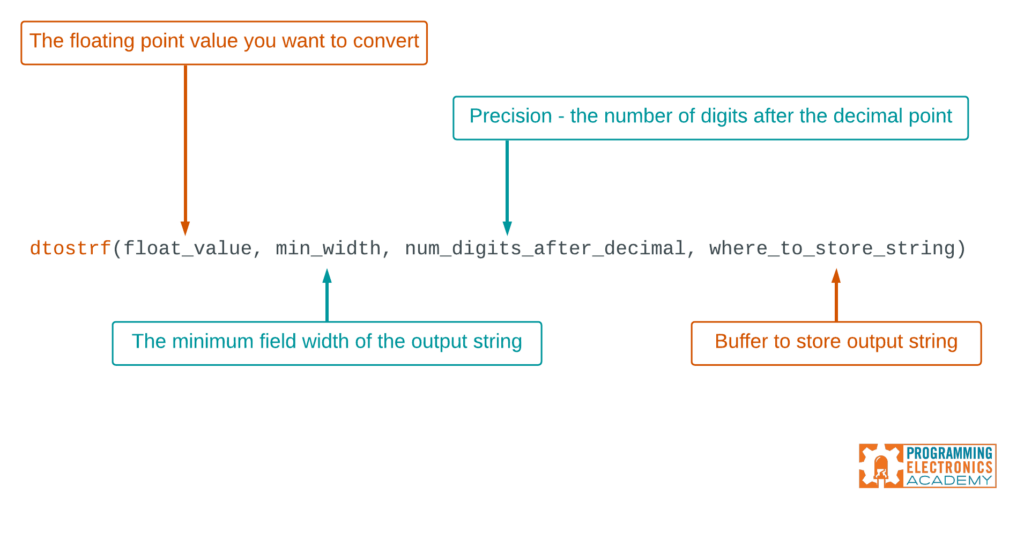
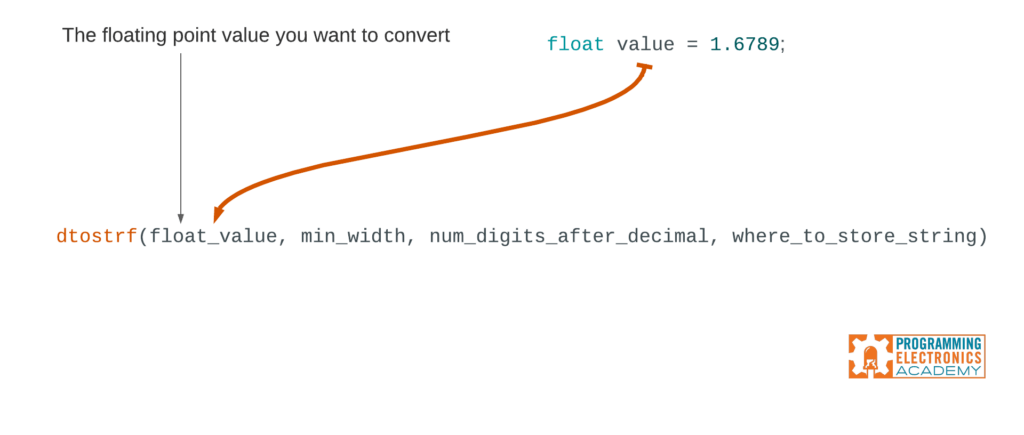
The first value is the floating point number that you want to convert into a string – that’s easy enough.
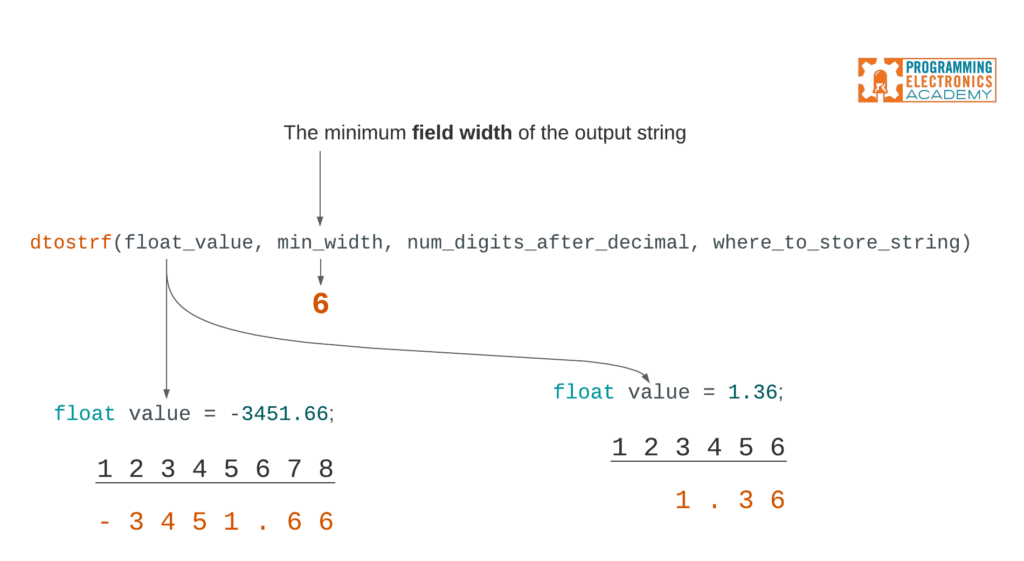
minimum field width
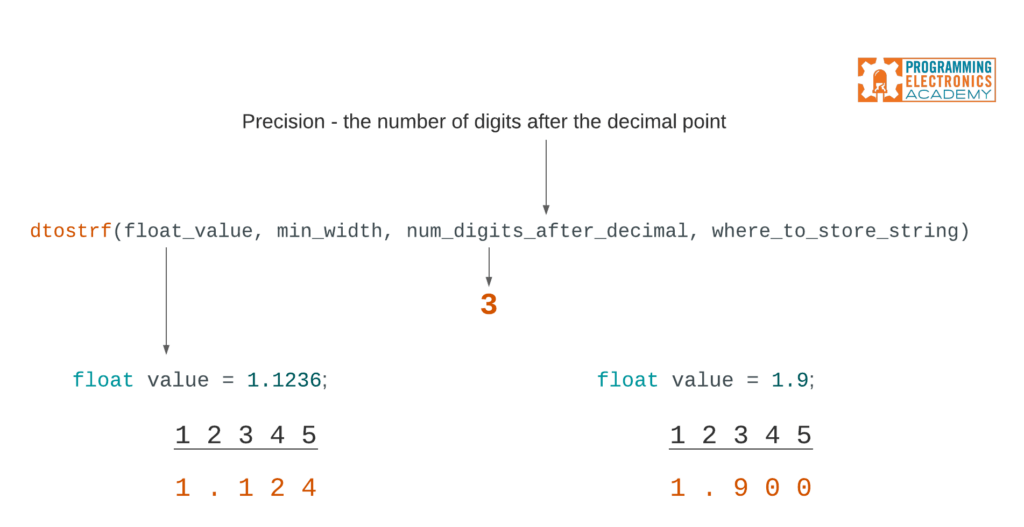
The second value is the minimum field width.
If you set the minimum field width to 6, and you convert a floating point value that has greater than 6 digits, those extra digits will still display. And for counting purposes, the “.” decimal point and the “-” negative sign count as spaces too.
If you set the minimum field width to 6, and you convert a floating point value that has less than 6 digits, then spaces will be added before the number starts.
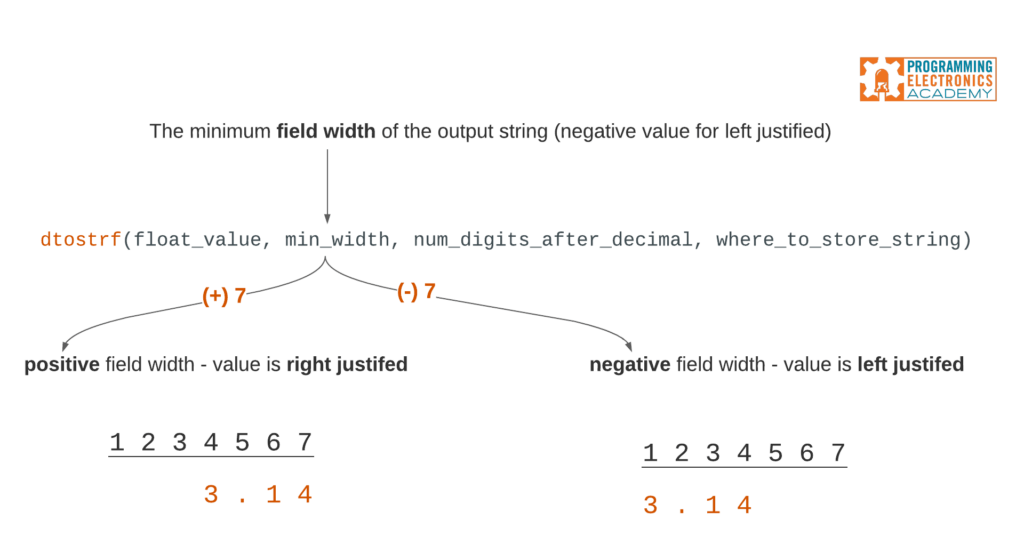
The minimum field width can also be negative. If you pass dtostrf() a negative value, it will left-justify the number within the field width.
precision
The 3rd argument passed to dtostrf() is the precision, which is the number of digits to show after the decimal point. If the floating point value you convert to a string has more digits after the decimal point than the number specified in the precision, then it will be cut off and rounded accordingly in the output string.
If you pass a number with fewer digits after the decimal point, it will add trailing zeros to the number.
dtostrf() char buffer sizing
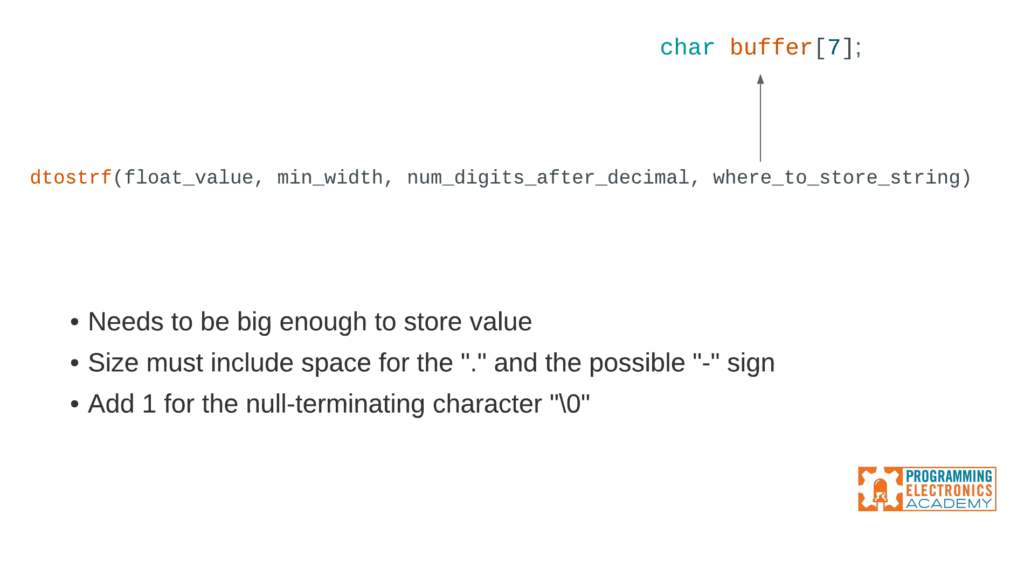
The final argument passed to dtostrf() is where you want to store the output string. This will typically be a character array, like buffer[7]. When determining the size of this buffer, make sure to consider:
- What the biggest number might ever be
- Size must include space for the “.” and the possible “-” sign
- Add 1 for the null-terminating character “\0”
Let Us know
What are you using dtostrf() for? We’d love to know – tell us in the comments! Also, if you found this useful, you might also find our sprintf() lesson super handy as well.









Great to see you teaching these little documented C++, Arduino formatting functions. You only missed that you can add label and units to the formatted data. I use this example sketch in my classes when we study printing to LCD and other displays.
char str[25]; //at least as long as # of char +1
float f = 98.6746;
void setup() {
// put your setup code here, to run once:
Serial.begin(9600);
Serial.println(f, 3); //formats to number of decimal places-no leading blanks
//dtostrf example
//set value of f to char str
//f is float or int var, 7 is the # of char in result
//1 is number of dec places shown, str is result
//creates leading spaces that cover old data
dtostrf(f, 7, 0, str);
Serial.println(str);
//you can also combine label and data together
//for ease in printing to tft display
strcpy(str, “Temperature: “);
dtostrf(f, 7, 2, &str[strlen(str)]); //add to end of str
Serial.println(str);
strcat(str, “F”);
Serial.println(str);
// only ints
int h = 74;
sprintf(str, “Humidity:%5d%%\n”, h);
Serial.println(str);
}
void loop() {
// put your main code here, to run repeatedly:
}
I see now you covered the text, label, and units in the sprintf() video. Either will work. The advantage above is you only need one char array. Keep up the good work.
Thanks Keith!
As by default sprintf does not support floats in a standard Arduino environment, there’s dtostrf() coming with avr-gcc, which does what you want.
I use dtostrf to print (millis()/100)/10.0 — seconds and tenths. I could always “a=millis(); Serial.print(a/1000); Serial.print(‘.’); Serial.print((a%1000)/100)); …”. dtostrf does not appear to be in the library for a MKR wifi 1010 board, though.
Love this – thanks for adding Howard! I’ll have to give this a try.
Great article.
The only thing I see missing in dtostrf is the option to have a explicit + sign in front of the converted float to match the – sign generated for negative numbers. That would be instead of just have a space in that position in the output string for positive numbers.
Thanks for adding this Tony!!
I keep seeing references to dtostrf() but where do I find the library for it so I can #include ?
I believe it’s part of the standard library, so I do not think you need to include anything. Which board are you using?
Hello,
I think this is something I need, but I don’t know how to use it. I would just like the BMP280 temperature sensor to display the value on the LCD with one decimal place instead of two, as it is now. I use the u8g2 library and the command: //u8g2.println(bmp.readTemperature());//
I would like to use bmp.readTemperature as FLOAT.
I tried //dtostrf// and it doesn’t work for me either way.
I’m not a programmer, just an electronics enthusiast. Have You any idea?
Thanks in advance.
Great questions! Could you paste the line of dtostrf() you used?
Thanks for reply.
This is part of my code:
char str[15];
float f = bmp.readTemperature();
dtostrf(f, 5, 1, str);
u8g2.println (str);
In the meantime, they helped me at the local forum, where in addition to electronics there are also many programmers. The dtostrf command is not used, but perhaps someone else is helped by this solution:
//
char str[15];
float x = bmp.readTemperature();
int a,b;
a=(int)x;
b=(int)((x-a)*10);
sprintf(str,”%d.%d”,a,b);
u8g2.print(str);
//
But I will also be glad to solve with the “dtostrf” command , so maybe I can use it somewhere else.
Thank you
Perfect – found you at last! I have been trying to send a serial string concatenation of temperature, pressure and humidity (from a BME280 sensor) with semi-colon delimiters from an Arduino through Bluetooth to an Android handset with my own MIT App Inventor app on it. I have had problems constructing such a string but sprintf and dtostrf seem to be the answer
Glad it helped!