
expected declaration before ‘}’ token [SOLVED]

Compilation error: expected declaration before ‘}’ token
Why the heck does the Arduino IDE expect a declaration before ‘}’ token?! Are you scratching your head wondering what the heck this error even means?
Fret not – this is a super easy to fix error!
In this lesson you’ll learn:
- How to fix the expected declaration before ‘}’ token
- A tactic for preventing this error in the first place
Let’s go!
👉 Download the Curly Brace Challenge Code Here 👈
Why expected declaration before ‘}’ token
The reason you are getting this error is likely because you forget an openly curly brace in your code.
Take a look this code:
for (int i = LED0; i < LED7; i++) {

    digitalWrite(i, HIGH);

    if (i == LED0)

      digitalWrite(i + 1, LOW);

    delay(100);}

}
Can you see the missing opening curly brace? It’s right after the if statement!
How to find where to add a missing curly brace
The Arduino IDE will highlight the line code where it finds the closing curly brace that has no matching opening curly brace.
Sometimes this can be at the very bottom of the program, and it may not cue you off.
Since curly braces usually come after the opening and closing parentheses of control structure functions like ‘if’, ‘for’, and ‘while’, this is where you need to start looking!
Never forget a ‘{‘ again!
If you don’t want to see this error message again, then I recommend getting into the habit of typing the opening and closing curly braces immediately after typing your control statement – and before typing the condition!

Something like this:
if () {}
If I type this out, then go in and fill the condition, I have my brackets already in place to work with.
Another way to help spot it is by using the auto-format feature in the Arduino IDE.
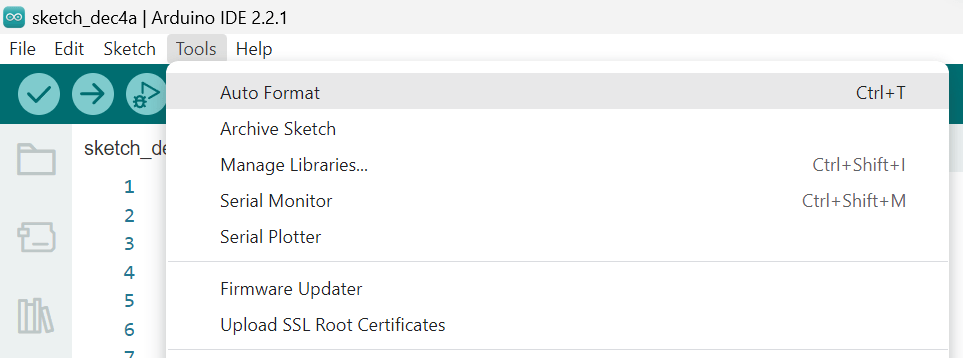
If you’re missing a curly brace, you’ll notice the code formats a bit wonky, and this can usually be a clue that you’re missing something.









