
EP 035 iot and Anvil with Ian Davies
Mike talks with Ian Davies the founder of Anvil. This conversation covers Ian’s expertise of Anvil and its application with IoT.
A transcript of our conversation:
Mike: Welcome everybody. Thank you so much for listening in. I have the joy of being able to talk to Ian Davies. He is one of the co-founders of Anvil or maybe the founder, maybe I’m not saying that right. Ian, you’re going to have to correct me, but we’re going to learn all about Anvil.
Anvil is a way that you can deploy a web application with knowing just Python. There’s a lot to be said about that. Generally, when you think about launching a web application, you need to be a full-stacked developer, which means you need to know JavaScript.
Anvil: Full stack web apps with nothing but python.
 You need to know the CSS and you need to know the HTML, and the frameworks that are going to run with Python. And the all this stuff that you got to know, and to be able to kind of… Anvil, it seems like just does a little leapfrog around some of that stuff.And it helps somebody with an understanding of Python really get up and running quick. So again,
this is my take on it. Ian, you’re going to be able to smack me around and be like, “No, it’s…” Welcome everybody, thank you so much for listening in. I have the is some of the ways that you, the listener might be able to leverage a platform like this to potentially get one of your IOT applications with a really nice, front end kind of website and get up and running much more quickly than you might think.
So, Ian, thanks so much for your time here. And I’m just going to open it up for you a little bit and if you need to correct me on some of the stuff I just spewed out, feel free to do that. I got thick skin. And the audience is used to having me be corrected by people. So thanks so much.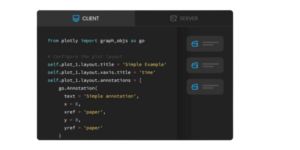
Ian: Well, first of all thanks very much for inviting me on. Yeah, that was a very accurate description of Anvil, and what it is, and what it does. So the goal that we had was to improve developer experience and allow people who know some Python, and you really only need to know a little bit of Python to get going, to deploy applications to the web.
And you are quite right in saying that traditionally you would need to know HTML, and CSS, and JavaScript, and probably a framework like Angular or React and Redux, and probably a framework for your CSS as well, like Bootstrap or something like that. And then you would need to know a language for the server side, which might be Python, or it might be JavaScript, or Java, or C#, or something. And then you’d probably need to know SQL so that you could talk to a database to be able to store your data.
And you would have to be able to run all this stuff. So you’d have to understand how to stand up a server, and keep it running, and keep it updated, and how to connect to it, how to join all these pieces together. You’d probably need to understand certificates and SSL, and there’s just so much that you need to do full stack web development. It’s a bit of a joke.
So our goal was to try and build something that would allow people to do all of that, but entirely in Python. And that means in the front end as well, which is an interesting technical challenge we can get into, but that’s probably for a different discussion.
The use case that you are talking about is likely to be IOT, that your listeners are going to be particularly interested in. Embedded devices, Raspberry Pi’s, things like that. And there are lots of great use cases for Anvil in that area as well. And I’m happy to talk about as many of them as you’re interested in.
Mike: Yeah, fantastic. I know when we were emailing back and forth, you had mentioned… What was it? Something about a fish tank, maybe?
Iot with Anvil
Ian: Yeah. The fish tank is one of my little side projects. So I have an aquarium in my living room and it’s very old. It has some fluorescent tubes in it which died years ago and you couldn’t get the right tubes anymore. And so I dismantled it and threw all the innards away, and replaced it with a Raspberry Pi Zero and a strip of RGB LEDs.
And you can get these quite cheap. Now I forget where I got them from, but they’re very easy to find. And for anybody interested in RGB LEDs, stop me if you don’t want to do this tangent, but this was interesting to me.
There are several different types you can get. And there are the boring ones which have four pins where you can individually control the red, the green and the blue with either pulse widths modulation, or just with a voltage on the various lines.
Those ones are not that much fun because it just lets you choose a color for the whole thing. The really fun ones are the individually addressable LED strips, where you can say for all 288 LEDs on this strip, I want to pick a particular color for each one.
And so I got a strip of these LEDs to play with. And to be fair, I wasn’t actually trying to give my fish epilepsy. So actually I do tend to just display the same color most of the time, but you can connect these directly to a Raspberry Pi because the voltage levels are compatible.
And you literally just bit bang out the RGB values that you want for each LED. And if you do it fast enough, it looks like the whole strip changes at the same time. And so I embedded all of this in the top of my fish tank and sealed it all back up and it works beautifully.
So the Raspberry Pi controls the lights and that part is easy. So you could use a cron job or something on the Raspberry Pi to control the lights. But what I really wanted to be able to do was have a way of controlling it so that when people came over at my house and I wanted to show off the ridiculous fish tank, I’d be able to say, “Hey, look at this. And look, I can change it to moonlight now, or daytime, or watch this sunset with, with buttons.”
And a web interface seems like the right way to do that. Of course it is a good idea to put some authentication on it. Otherwise the co-founder of your company tends to like to log in late at night and start messing with your fish tank. But yeah, so Anvil was a great way of having a local script running on the Raspberry Pi in my fish tank, and then a website which I should talk a bit about how it works. You build the front end, the UI of your website with drag and drop. So dragging buttons, and text boxes, and things as you would do in a sort of drag and drop website builder.
Mike: Okay, so a what you see is what you get kind of [inaudible 00:06:11]?
Ian: That’s exactly right. It’s a WYSIWYG editor for the user interface, but then for the code, for actually wiring up the different bits of your UI and your devices, you use Python. And so I have it set up so that on my website, there is a button for several different modes of the fish tank. I might want daytime, or sunset, or moonlight, something like that.
And when you click the button, it calls a Python function, and that Python function actually runs on the Raspberry Pi to control the LEDs. And Anvil is the thing that takes care of connecting the button on your website to the actual script, running on a Raspberry Pi, wherever it is. And you don’t have to worry about all of the layers in between to make that work.
Mike: Right. Okay. That’s awesome. So it could be an ESP8266, or it could be an Arduino on an Ethernet shield or something like that, as long as you’ve got a connection to the internet and you’re making an appropriate request.
Ian: Yeah. So there are two ways you can do it. If you are using something like a micro controller where probably running web sockets is going to be pushing it a bit too hard, then yes. As long as you can make a web request, then you can talk to the Anvil server that way. And we can talk about some fun projects I’ve done like that if you’re interested.
But if you’re up on something like a Raspberry Pi and it only has to be a Pi Zero, and I’ve got about 12 of them around my house controlling various different things. But if you’ve got something that can do web sockets and run full Python, then you can actually have that connection be by directional. And you can push function calls in both directions, connect to the database from anywhere and that kind of thing. So it’s pretty powerful.
Mike: That’s fantastic. Yeah. No. I’d love to hear about your other projects here. You got me wondering.
Ian: Oh, well the most fun one, I think that I did with micro controllers was controlling an electric storage heater system in a house. So this house is not visited that often. It doesn’t have its own central heating, but it has electric storage heaters that we put on. And after a couple of days, the house is sort of warmed up to the point where it’s reasonable to be in there.
And this is fine, but the problem is for the first three days when you’re there, particularly in the winter, it’s freezing cold because these heaters have to warm up. And so what I really wanted was a way of switching them on remotely. And I am absolutely certain that I could go out and buy some name, brand product that would do this for me, but that takes all of the fun out of it. So the question was, how could I do this myself?
So I found these SONOFF devices they’re called and they do all sorts of… They’re mains powered switches basically. So they can switch things like electric heaters, lights, all that kind of thing. But they actually have, I think it’s an 8266 inside them.
Mike: Oh, really? Wow. That’s cool.
Ian: Yeah. So with a little bit of research, this was an obvious choice for… Okay. I reckon that if I buy one of these devices, that’s got all the appropriate relays and the power management on it, if it’s got a suitable micro controller, then I can probably reprogram it to do what I want. So I bought a bunch of these, and they’re not very expensive, and connected them up to the heaters and sure enough, they worked right out of the box with the firmware they had and the software that came with them.
You could just install the app on your phone and as long as you were on the same network as these devices, you could switch them on and off remotely. You just had to sort of configure them with the right WiFi credentials and it was fine. But again, that’s quite boring really just using the off the shelf software. And also it was, I have no idea who wrote the software and where they were, and what other things it was talking to and all of that.
So yeah, much more fun to do it yourself. I discovered that there is this open source firmware, the Tasmota firmware that you can use that you might have come across and some of your listeners probably have, which is specifically written for these kinds of devices. And it turns out that everybody who makes these kinds of devices with that micro controller builds them in the same way, with the same relays connected to the same GPIO pins.
And so it’s actually possible for these open source projects to exist that can replace the firmware on these devices and let you do whatever you like.
Mike: What’s the name of the firmware again, just-
Ian: It’s called Tasmota.
Mike: Tasmota. All right. I haven’t heard of it, but I am going to have to check it out. That’s sounded-
Ian: It’s very cool. It’s really, really great. However, the way I wanted to use it was to use MQTT, which I imagine you’ve come across and again, I’m sure a lot of your listeners have come across. So this is a very lightweight protocol designed to let IOT devices talk to one another and talk to servers. Essentially, it’s great for sensing and remote control where the payloads are quite small, but you might want to just keep track of what’s going on over a large number of sensors.
It’s a really nice protocol. And I installed an MQTT server in a Docker container on the NAS box that sits in my house and is accessible to the internet with appropriate authentication I should add. And then I configured these switches to use MQTT to talk to this server that’s sitting in my house. Just for context this is at the opposite end of the country here in the UK.
So we’re talking about several hundred miles that I have to go to see whether it’s working. And that was fine. It works beautifully. Twice a day, these heaters power up and they have a set number of hours a day that they get power. And when they power up, the devices have a default on or off state. And so they default off. And so they get powered up. They discover that they’re supposed to be off and so they don’t provide power to the heaters.
At that point, they contact my MQTT server and say, what’s the last state that I’m supposed to be in. And they get the response saying, oh, the kitchen one is supposed to be on. And the living room is supposed to be on, but the bedrooms are supposed to be off. And so at that point, they then switch on or often go into their standard state.
And this works brilliantly. And so now that I’ve got the server and I’ve got the switches on the heaters, what I really needed was a way of controlling it. So that’s where the Anvil part came in. So I put together a little website that showed the different rooms in the house and it used the, Anvil backend to talk to my MQTT server so that it could work out what the state was. And so it could update that state for the various switches.
Yeah, so now I can go to my website, I can see what state all the different heaters are in the house, and switch them on and off. And I can do that three days before I go there. So that by the time I get there, the house is at habitable temperature. This worked perfectly right up until September last year, I think it was.
And you will have seen a bunch of things in the news over the last year or so really as the, Let’s Encrypt root certificates have expired and been replaced. And this is a thing that’s been long publicized. Everybody knew it was coming. And lots of people have basically ignored that it was coming until things broke, which is why large chunks of the internet fell over the last couple of months.
But it’s also why the sensors, sorry, the switches on the heaters in my house were no longer able to talk to my MQTT server because I insisted that they used HTTPS so that the connection was secure. And the HTTPS root certificate had expired. And so they could no longer authenticate that connection and they just refused. And so they fell back to their default state, which was off.
So I arrived at the house and discovered that it was freezing cold. And of course, the first thing that I had to do was recompile this firmware from source with the new Let’s Encrypt root certificates in it, which is not fun to do when the house is absolutely freezing cold. And all you want to do is get the heating switch back on. Of course I could switch it back on manually by pressing the actual physical buttons on these switches. But then of course, 24 hours later, when the system cycles and it comes back on, they all go off again because that’s their default state.
So this was a bit annoying. But thankfully, because I had reprogrammed these things before, I still had all the firmware source, it was just a case of actually finding the binary blob of the certificate, replacing it in the source and recompiling, and then going around the house and very carefully holding all the pins of the programmer onto the right bits of the circuit board to-
Mike: As you’re shaking, right? Your fingers-
Ian: That’s exactly right. Yeah. Yeah. And you want to be really sure that you’ve switched off the main’s power when you’re doing that. But that all worked and it’s now fine again. So yeah, that was quite a one little project, but it was an interesting one because there was absolutely every part of the stack involved in there.
I literally had to dismantle these devices and connect to the programming pins of these micro controllers to get the firmware on there in the first place, and to update it. All the way through to designing the user interface on the web and thinking about all the different stages of that in the stack is that that’s fun. That’s what I enjoy doing. I imagine that many of your listeners do too, because that’s why they’re here.
Mike: Oh, yeah. That is so cool. Yeah. I think what I really like about Anvil, this idea, is that I feel like the fun part is building out the functionality you for developer a lot of times. Well, and there’s different threads of developers. That’s variety makes life interesting but-
Ian: There are, but that’s a really good point. Yeah. So in computer science, generally there is this concept of essential complexity and incidental complexity. And essential complexity describes the actual problem you’re trying to solve, which in my case is, switch these heaters on remotely, according to a timetable with a way of customizing it. And that’s the essential complexity. And there are going to be some things that are complicated in there.
The heaters are not in the house where I am. There’s going to be some network reversal that has to happen. And that kind of thing, that’s essential complexity. That’s part of the problem I’m trying to solve. Then there’s incidental complexity, which is everything that gets in my way that I have to do while I’m solving that problem. And if I want to build a user interface and I’m going to have to learn HTML and CSS, and if I want to drive that user interface, I’m going to have to learn JavaScript.
And then I’m going to have to put it on a service somewhere. And I’m going to have to make that ever talk to my MQTT server. All of that stuff, that’s incidental complexity. And I just don’t care. And our goal with Anvil was to build a system that allowed us to remove as much incidental complexity from programmers lives as possible. So that you could actually concentrate on the thing you were trying to do.
The nice thing about this is that it means that it’s applicable to all sorts of different people. So Anvil is used by everybody from hobbyists who want to put together things like I just talked about, right through to contractors, building business software for companies, to big companies, building internal tools and dashboard and analysis tools, and things like that through to startup founders building whole startups, because it’s a really good way of getting an MVP out there that people can use and try out. And then scale, without having to think about all of that nightmare, because Anvil takes care of it for you through to giant companies using it for all sorts of public facing services.
So one of my favorite examples is that the Australian Federal COVID 19 Genetic Analysis program runs entirely on Anvil, and they have built custom components for doing phylogenetic tree analysis. And all of their policy making in Australia is driven by models that run on Anvil applications, they’ve built and it allows them to share data and all of that kind of thing. All the way from hobbyists at one end to that at the other end. It’s great to see because the goal is removing incidental complexity rather than solving a particular problem in a particular industry, which is much less fun.
Mike: Oh, that’s fantastic. Yeah. I love it. I love those two concepts too. Incidental complexity. I feel like anytime I need to fix something in my car, it’s easy. I just need to unbolt this and get it. But there happens to be a belt there. And by the way, there’s this shield casing here and it’s like, all this, all I need to do is move this one tiny little piece there and that solves my problem. But by the way, the wrench is going to fall and that kind of thing. So that-
Ian: Exactly right. And of course all you actually wanted to do that day was drive to the shops.
Mike: That’s right. That’s right. Yeah. Okay. So a lot of folks listening may or may not have experience with Python, but very likely they’ve got experience with C or C++, or just maybe, Arduino programming maybe might even be kind of where they’re at. Maybe potentially newer developers, some people who have a lot of experience. So let’s say they want to pick up Python. I would say coming from a Arduino C-ish kind of style background, in my opinion, I don’t think Python’s nearly as difficult to pick up.
Ian: No. Python is really very easy to pick up and it’s very readable. So if you go and look at other people’s Python scripts, particularly scripts that are aimed at beginners, the Raspberry Pi Foundation is great for that. They have a lot of resources for picking up Python. And yeah, it’s very readable. So you can look at other people’s scripts, get a sense of what they’re doing, tweak those things to do things that you want to do, and then start to invent your own stuff from scratch.
That’s certainly a good way in. There is of course MicroPython, which I’m sure you’ve come across, which is a way of writing Python that then does run on micro controllers of various types. And that’s a really nice way to get started if that’s what you’re already interested in. It’s very, very easy to use and has some great development tools.
So yeah, it’s very easy to get into. One of the motivations we had with Anvil actually was that there’s a bit of a gulf sometimes between doing your first set of tutorials in any programming language. But it’s true of Python too, where you learn the basics of the programming language and you learn about lists, and dictionaries, and for loops, and if statements, and that kind of thing, and you get the idea of how to do a little bit of control flow and dealing with variables, and input and output and that kind of thing.
And you do these tutorials and then you fall off the end of the tutorial and you decide, right, I want to build this thing, which might be quite simple, but there’s often a huge gulf between where you got to in a beginner’s tutorial and actually building something useful. And often that gulf is deployment. Where do I put my script? How can I be able to access it from anywhere? That kind of thing.
Often it’s about user interfaces, which are traditionally a bit of a nightmare in Python because, there aren’t so many of these WYSIWYG tools and there aren’t the libraries that make that really easy. And so what we were trying to do with Anvil was close that gap between falling off the end of your first Python course or tutorial, and being able to actually build something perhaps not useful, but fully functional and fun.
Mike: Right. Yeah, that’s fantastic. So I’m just trying to think of some of the things somebody might want to do, which would be similar to what you were doing, turn, maybe switch something out on and off, or perhaps logging some data. How difficult would logging data be with-
Ian: That’s a really good example. Another fun one that I did during lockdown, because we were all quite bored and stuck in our houses. The only entertainment that we had was our house plants and a vast of Raspberry Pi Zeros. And so I did what any self-respecting engineer would do and wired up this house plant to try and make it water itself because I’m terrible at watering plants.
And I know that you’ve had previous episodes of people talking about watering plants. I was much less successful than they were, but it was only because I lack any kind of ability to keep plants alive rather than lacking the engineering. So I was interested in the soil moisture sensing and the various ways of doing that. I’ve had some disastrous experiments previously using resistive sensors. The ones that are basically two metal spikes that go into the soil.
They’re a great idea. The problem is that they corroded like crazy because you’ve literally built yourself a little battery that you stuck into the soil. And so I managed to find that there are different types. I found some capacitive ones to experiment with. So I actually had this plant with four different capacitive sensors at the different bits of the soil. And I had it connected up to a Raspberry Pi.
I had an Anvil application, which had its own little database built in, and once every hour, I think it was, it just pinged the Rasberry Pi said, “What are the current moisture levels in the soil?” And it did that with a single Python function call, get moisture level or something like that. And on the Raspberry Pi, there was a single Python function, which used the library that came with these capacitive moisture sensors and got four values back from the sensors.
And it could just return those directly from this Python function. So I didn’t have to worry about any of the, how I get the data from A to B or any of that. You just call the function, it returns a value, and you don’t have to think about the fact that you’re calling it from somewhere magical on the web and it’s running on your Raspberry Pi that works just fine.
And that data then goes into a built in database in Anvil. And then of course the front end is just a page that has a Plotly chart on it that takes the data out of the database and shows you the moisture content over time. And that was really fun. Because I had four sensors around the roots of this one house plant, I could actually see it redistributing the water through the soil overnight while it was, when it was dry at one side and wet on the other side. Plants do all of this crazy stuff that I was not aware of before I started experimenting with it.
So that was a fun project, but yeah, that’s essentially data logging where you pull the data from somewhere and that could be pull or push. So in this case, it was pull where Anvil was going off and asking the sensor, “What is your current value?” Every hour. It’s just as easy if you want to push the data with a cron job, or even just, if you’re doing this on a micro controller, then you say, “Go to sleep for an hour, wake up, do half a second of work and ping this end point, connect to the WiFi, make a request, and then go back to sleep for an hour.” You could do it that way around as well. That’s probably the way I would do it for a micro controller. Yeah. Very easy either way.
Mike: That is so fantastic. Yeah. And I love that not only are you… You’re doing the data logging, you’ve got the data. So maybe later you want to do some analysis, but you also have a really beautiful way of displaying the data. And you know that in and of itself can be nice a lot. It seems like a lot of… That’s a big part of it. You know what I mean? Making the display look nice or that can be a big part of it.
Ian: It is a huge part of it. And like I said, it’s something that’s been historically a bit tricky in Python. So a lot of people who have done a little bit of playing with data in Python have used things like Jupyter Notebooks, which are a great way of experimenting with data analysis and that kind of thing. But they’re difficult to deploy as an actual application. So what we were trying to do is make it just as easy to deploy actual Python applications and models as it is to create them in Jupyter Notebooks in the first place.
And one of the reasons we chose Python way back at the beginning of Anvil was that it has such a vibrant ecosystem. So if you want to do something in Python, you can guarantee you can go and find a library that will do it. And one of the great plotting libraries for Python is Plotly and we have built a tight integration with Plotly into Anvil. So you can just drag and drop a plot onto your page and then write some Python to say that the data for this plot should come from the database over there. And I want to transform it in this way and then display it. And that takes two or three lines of Python and you’re done.
Mike: That is so awesome. Well, Ian, thank you so much for your time. This has been fantastic. I’m excited to play more around with Anvil and try to get something wired up and work. And I think that’s going to be fun. I’m sure our audience will check this out. Where should they go to check out Anvil?
Ian: Good question. And I was going to say. Of course, I’ll share with you so that you can share with your listeners a bunch of the links to the devices and things that I’ve mentioned, but Anvil itself is at anvil.works. And if you head to the website there, you can find all the information, and the documentation, and try it out. It’s completely free to use. You can use it on the free plan for as long as you like. And the core Anvil Runtime is fully open source as well. So you can actually run it on your own devices if you want to.
Mike: Awesome. Thanks Ian.
Ian: You’re very welcome. Thanks for having me.









