
Pumping poo! An IoT sewage project
Okay, let’s be honest – worrying about sewage pumps isn’t exactly how most people want to spend their time. But for Ken Calvert, a member of Programming Electronics Academy (PEA), it was a nagging problem that needed a solution.
When you’re responsible for your church’s sewage system, you quickly learn that those pumps aren’t just a convenience, they’re essential.
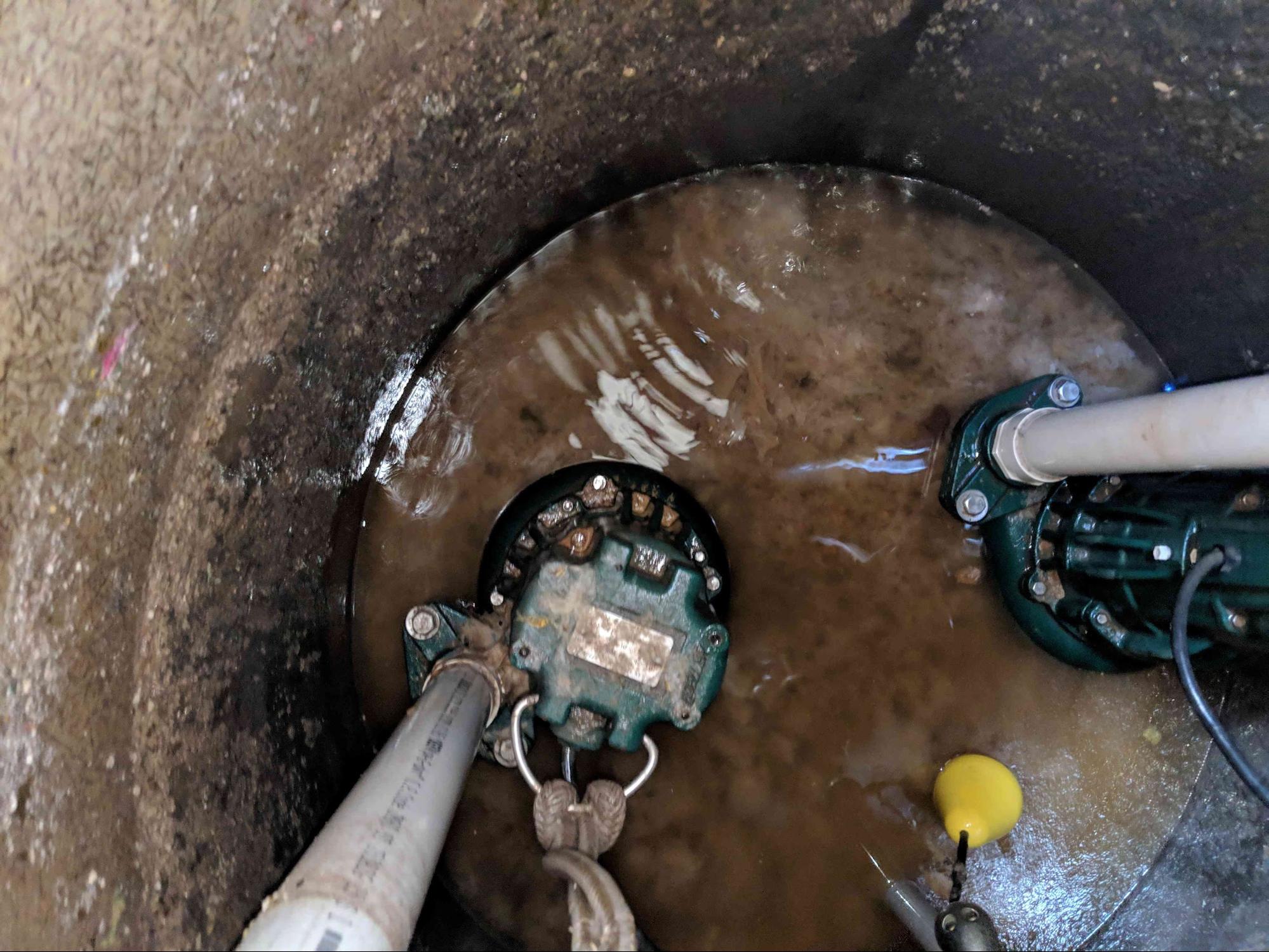
And as with anything mechanical, the fear of something breaking down at the worst possible moment is… well, let’s just say it’s not pleasant.
To add to this worry, the bathrooms were being used more frequently because a school had started using the church as well.
What Ken needed was a way to wirelessly monitor the pump’s operations and collect data about usage… IoT sewage?
But how do you do that?
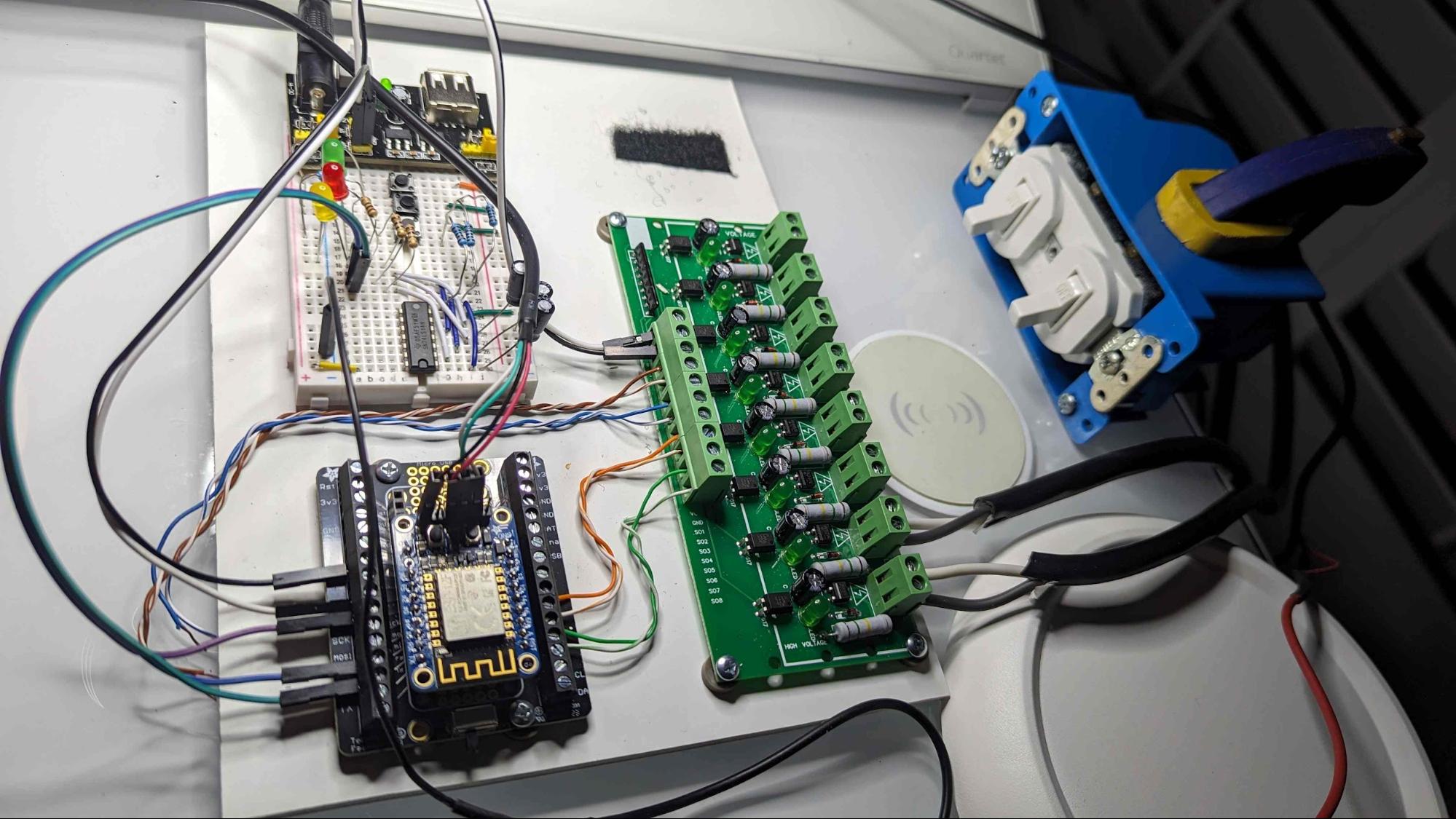
Wireless microcontroller to the rescue
Here is what Ken wanted his IoT sewage project to accomplish:
- Monitor the system using a wifi enabled microprocessor
- Ideally have a web or smart phone interface or both
- Texting multiple people for trouble or alarm conditions
- Be able to know if the system lost power
For the first item, Ken turned to the ESP8266 feather dev board, an inexpensive and Arduino compatible wireless microcontroller. The project is coded using Arduino code and the Arduino IDE.
He used Blynk as his Internet of Things solution. Using the Blynk Arduino library he sends his pump data to the cloud and has built out impressive web and phone dashboards for monitoring usage, failures, and handling notifications.
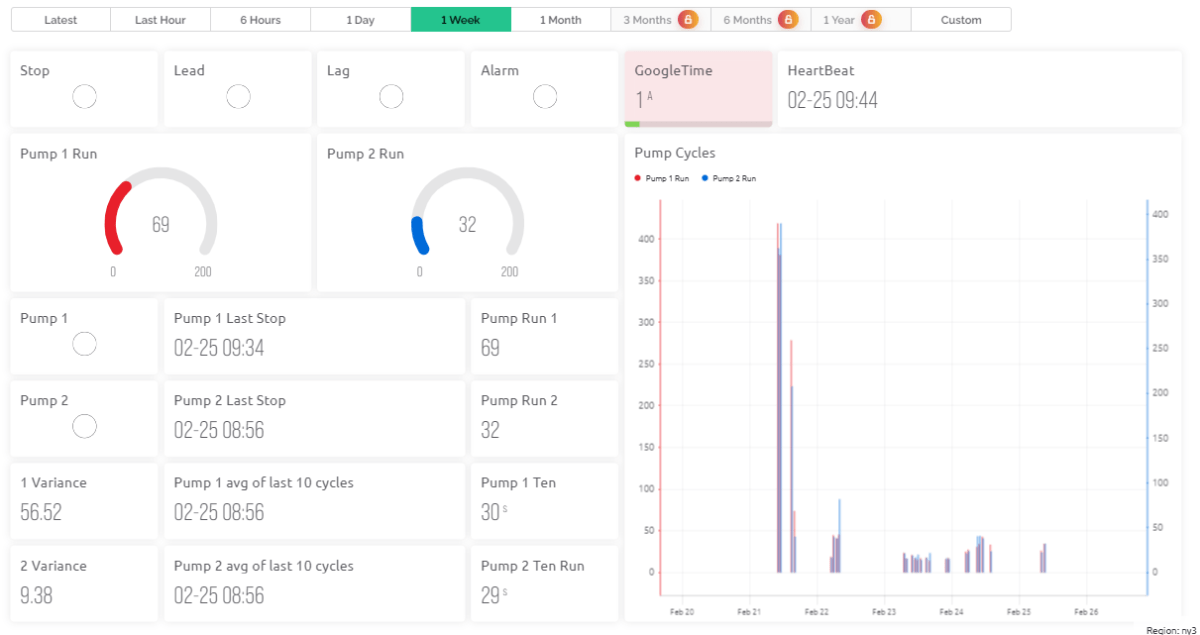
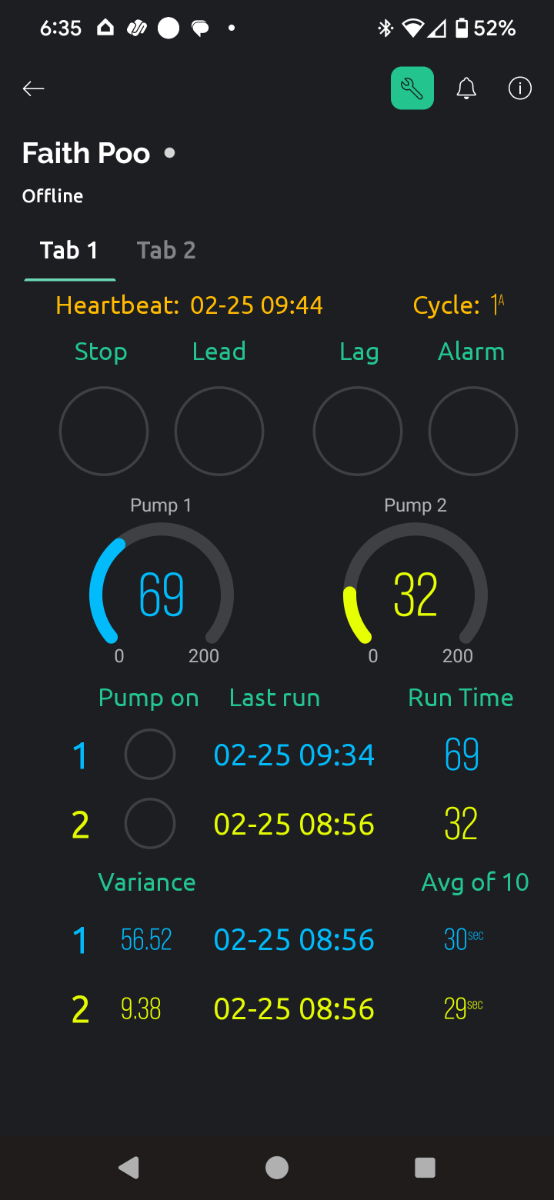
To check if the power is on for the sewage pumps, he wrote code on his ESP8266 that creates a “heart beat”, which is monitored by Blynk. When this heartbeat stops, it signals that the system is down.
“Everything I’ve learned regarding microprocessor programming has been from the Programming Electronics Academy…
It’s been a fun project and I have to say [the PEA] classes have been what’s made it possible.”
Ken Calvert
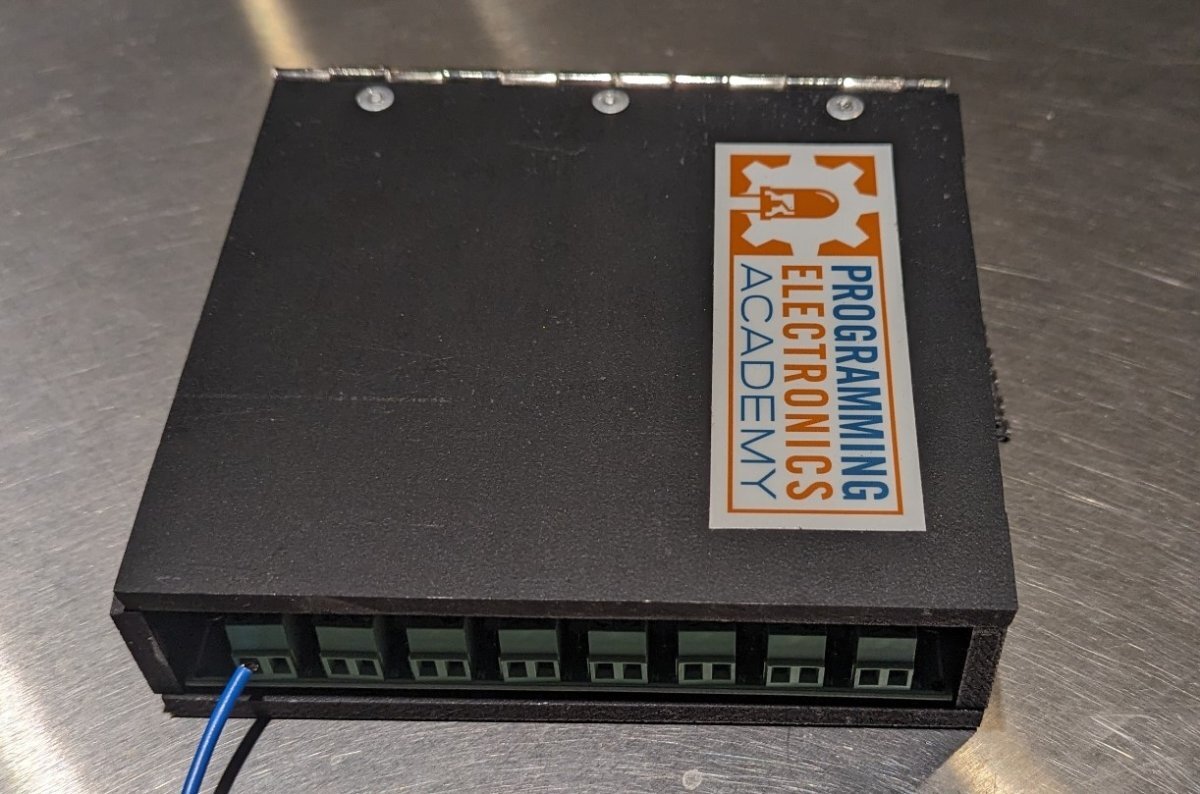
This project was submitted by one of our members. You can see more of our member's projects here.
Not a member yet? Sign up here.
It’s not all roses with IoT sewage
Learning this stuff can be difficult, especially with an advanced project like this.
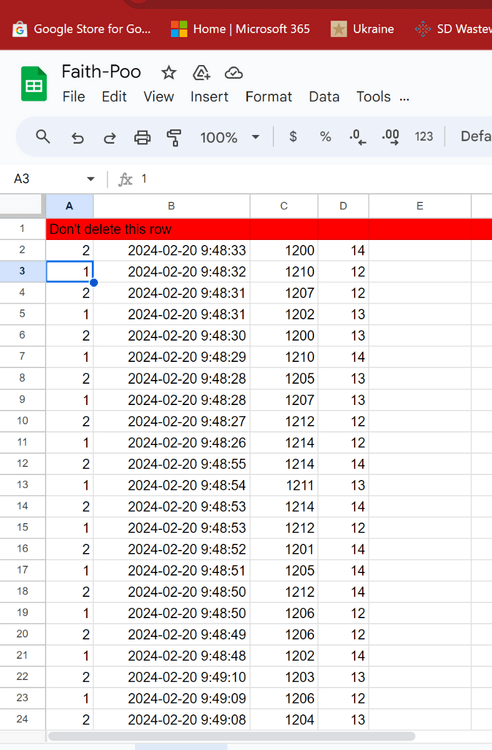
Some of the more difficult things Ken had to figure out was using Arduino code to talk with the google sheets API so he could create a long term record of usage data.
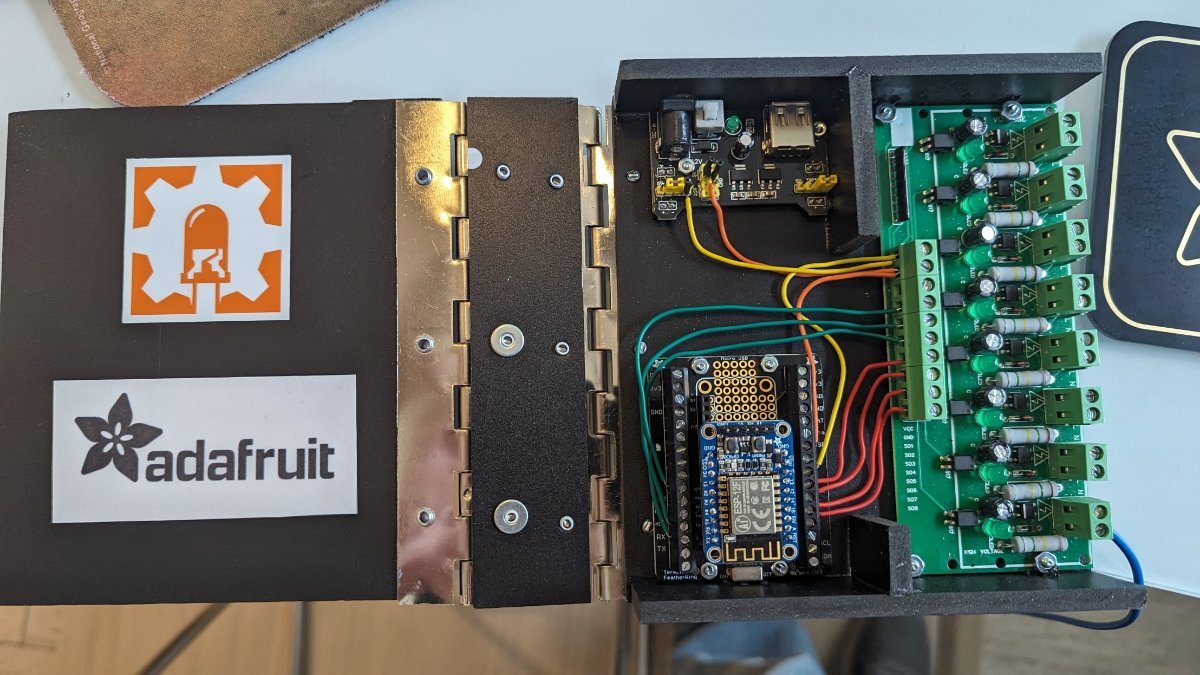
He’s also concerned that the WiFi signal may not be strong enough for the actual installation, so an adjustment may be needed on where and how the circuitry gets installed.
IoT sewage Arduino Code
Here is a sample of some code that Ken has written for this IoT sewage project:
#include <ESP8266WiFi.h>

#include <ESPDateTime.h>

#include <stdlib.h>

#include <ESP_Google_Sheet_Client.h> // spreadsheet

// google seems to insist that this is a global

const char PRIVATE_KEY[] PROGMEM = "-----BEGIN PRIVATE KEY----"

// keepsake array - is this too expensive for my ESP2866?

String(keepRuns[10][4]);

String(keepPu1s[3][4]);

String(keepPu2s[3][4]);

byte googleTime = 0; // program flow control

bool workOffLine = false; // if WiFi doesn't connect

byte ian = 2;

bool doItOnce = true;

void setup()

{

  Serial.begin(115200);

  //start up the WiFi, npt, and google

  if (bool onlineAlready = whyNotFi())

  {

    bool daTime = gotTheTime();

    whyNotGoogle();

  }

  else workOffLine = true;

}

void loop()

{

  while (doItOnce) // what can I say, I'm old

  {

    // this is just to cook up some fake data

    for (byte i = 0; i < 35; i++)

    {

      if (ian == 1) ian = 2; else ian = 1;

      int ken; float ryan;

      ken = random(1200, 1220); ryan = random(12,15);

      String judy = DateTime.format(DateFormatter::SIMPLE).c_str();

      delay(random(500, 1000));

      Serial.println("googleTime: " + String(i) + " " + String(googleTime));

      // these two functions are what actually write data to memory

      googleTime = takeNote(ian, judy, ken, ryan);

      if (googleTime == 10) googleTime = googleAway();

    }

    //Print the data

    for (byte i = 0; i < 10; i++)

    {

      Serial.println(String(i) + " " + keepRuns[i][0]

                               + " " + keepRuns[i][1]

                               + " " + keepRuns[i][2]

                               + " " + keepRuns[i][3]);

    }

    Serial.println();

    for (byte i = 0; i < 3; i++)

    {

      Serial.println(String(i) + " " + keepPu1s[i][0]

                               + " " + keepPu1s[i][1]

                               + " " + keepPu1s[i][2]

                               + " " + keepPu1s[i][3]);

      Serial.println(String(i) + " " + keepPu2s[i][0]

                               + " " + keepPu2s[i][1]

                               + " " + keepPu2s[i][2]

                               + " " + keepPu2s[i][3]);

    }

    Serial.println();

    doItOnce = false;

  }

}

// main memory program

byte takeNote(byte pumpNum, String dateTime, int runTime, int ampsIn)

{ // I keep the last 10 pump runs and 3 avgerages of each pump

  // in volitle memory mostly to use in Blynk

  // this seems silly ! why do I have && to write the value into memory?

  int&& aR = 0; int&& bR = 0; int&& cR = 0; int&& dR = 0;

  //electric slide

  for(byte i = 9; i > 0; i--)

  { //move the data toward the [9] index

    keepRuns[i][0] = keepRuns[i-1][0];

    keepRuns[i][1] = keepRuns[i-1][1];

    keepRuns[i][2] = keepRuns[i-1][2];

    keepRuns[i][3] = keepRuns[i-1][3];

  } // I write new data to the [0] index

    // I don't know why I jsut do

  keepRuns[0][0] = pumpNum;

  keepRuns[0][1] = dateTime;

  keepRuns[0][2] = runTime;

  keepRuns[0][3] = ampsIn;

  if (googleTime == 9)

  { // time to store and calculate averages

    for (byte i = 2; i > 0; i--)

    { // first most the data south

      keepPu1s[i][0] = keepPu1s[i-1][0];

      keepPu1s[i][1] = keepPu1s[i-1][1];

      keepPu1s[i][2] = keepPu1s[i-1][2];

      keepPu1s[i][3] = keepPu1s[i-1][3];

      keepPu2s[i][0] = keepPu2s[i-1][0];

      keepPu2s[i][1] = keepPu2s[i-1][1];

      keepPu2s[i][2] = keepPu2s[i-1][2];

      keepPu2s[i][3] = keepPu2s[i-1][3];

    }

    for (byte i = 0; i < 10; i++)

    { // I give myself cudo's for this

      // this sums the values of [2] & [3] by pump #

      switch (keepRuns[i][0].toInt())

      {

        case 1:

          aR += keepRuns[i][2].toInt();

          cR += keepRuns[i][3].toInt();

          break;

        case 2:

          bR += keepRuns[i][2].toInt();

          dR += keepRuns[i][3].toInt();

          break;

      }

    }

    // there should always be 5 values to avg for each 10 cycles

    aR = aR / 5; bR = bR / 5; cR = cR / 5; dR = dR / 5;

    Serial.println();

    Serial.println("aR: " + String(aR));

    Serial.println("bR: " + String(bR));

    Serial.println("GT: " + String(googleTime));

    keepPu1s[0][0] = 1;

    keepPu1s[0][1] = DateTime.format(DateFormatter::SIMPLE).c_str();

    keepPu1s[0][2] = aR;

    keepPu1s[0][3] = cR;

    keepPu2s[0][0] = 2;

    keepPu2s[0][1] = DateTime.format(DateFormatter::SIMPLE).c_str();

    keepPu2s[0][2] = bR;

    keepPu2s[0][3] = dR;

  }

  googleTime++ ;

  return googleTime;

}

bool whyNotFi(void)

{

  bool yep = false;

  const char ssid[] = "Georgetown";

  const char pass[] = "*****(";

  int ms = millis();

  WiFi.setAutoReconnect(true); //do I really believe that will work?

  Serial.print(" ");

  WiFi.begin(ssid, pass);

  Serial.println("Connecting to Wi-Fi");

  while (WiFi.status() != WL_CONNECTED && millis() - ms < 10000) //give it 10sec

  {

    Serial.print(".");

    delay(300);

  }

  if (WiFi.status() == WL_CONNECTED) yep = true;

  return yep;

}

bool gotTheTime (void)

{

  bool windWatch = false;

  DateTime.setServer("time.pool.ntp.org");

  DateTime.setTimeZone("PST+8");

  DateTime.begin();

  Serial.println("");

  while (!DateTime.isTimeValid())

  {

    Serial.print("+");

  }

  if (!DateTime.isTimeValid()); windWatch = true;

  return windWatch;

}

  // parameters for google sheets

void whyNotGoogle(void)

{

  #define PROJECT_ID "faith-poo"

  #define SHEET_URL "https://docs.google.com/spreadsheets/d/1uVeeKs31CQbSxIpO-amE10NT0TDCCoAS_Yi-6ub-YxE/edit"

  #define SHEET_ID "******"

  #define CLIENT_EMAIL "faith-poo-pumplog@faith-poo.iam.gserviceaccount.com"

}

  // this writes data to google sheets 10 cycles at a time

  // the function resets and returns googleTime to 0

bool googleAway(void)

{

  // first get it together

  GSheet.setPrerefreshSeconds(10 * 60); //how long you have before token expires

  GSheet.begin(CLIENT_EMAIL, PROJECT_ID, PRIVATE_KEY); //Google authentication

  // wake up a google sheet

  bool ready = GSheet.ready();

  FirebaseJson response;
  if (ready)
  { //as if by magic this appens data to the end of the sheet

    FirebaseJson valueRange; // boy I wish I know what this does
    for (byte i ; i < 10 ; i++)

    { //prepare the valueRange for google speak

      // index's seem backwards to me

      valueRange.add("majorDimension", "COLUMNS"); // no idea why I need this
      valueRange.set("values/[0]/[0]", keepRuns[i][0]);
      valueRange.set("values/[1]/[0]", keepRuns[i][1]);
      valueRange.set("values/[2]/[0]", keepRuns[i][2]);
      valueRange.set("values/[3]/[0]", keepRuns[i][3]);

      // this is where the data gets sent off to the spreadsheet
      bool success = GSheet.values.append(&response, SHEET_ID, "Sheet1!A1:B10000", &valueRange);
      delay(100); //not sure how fast this can happen
    }
    googleTime = 0;
  }
  return googleTime;
}
About Ken
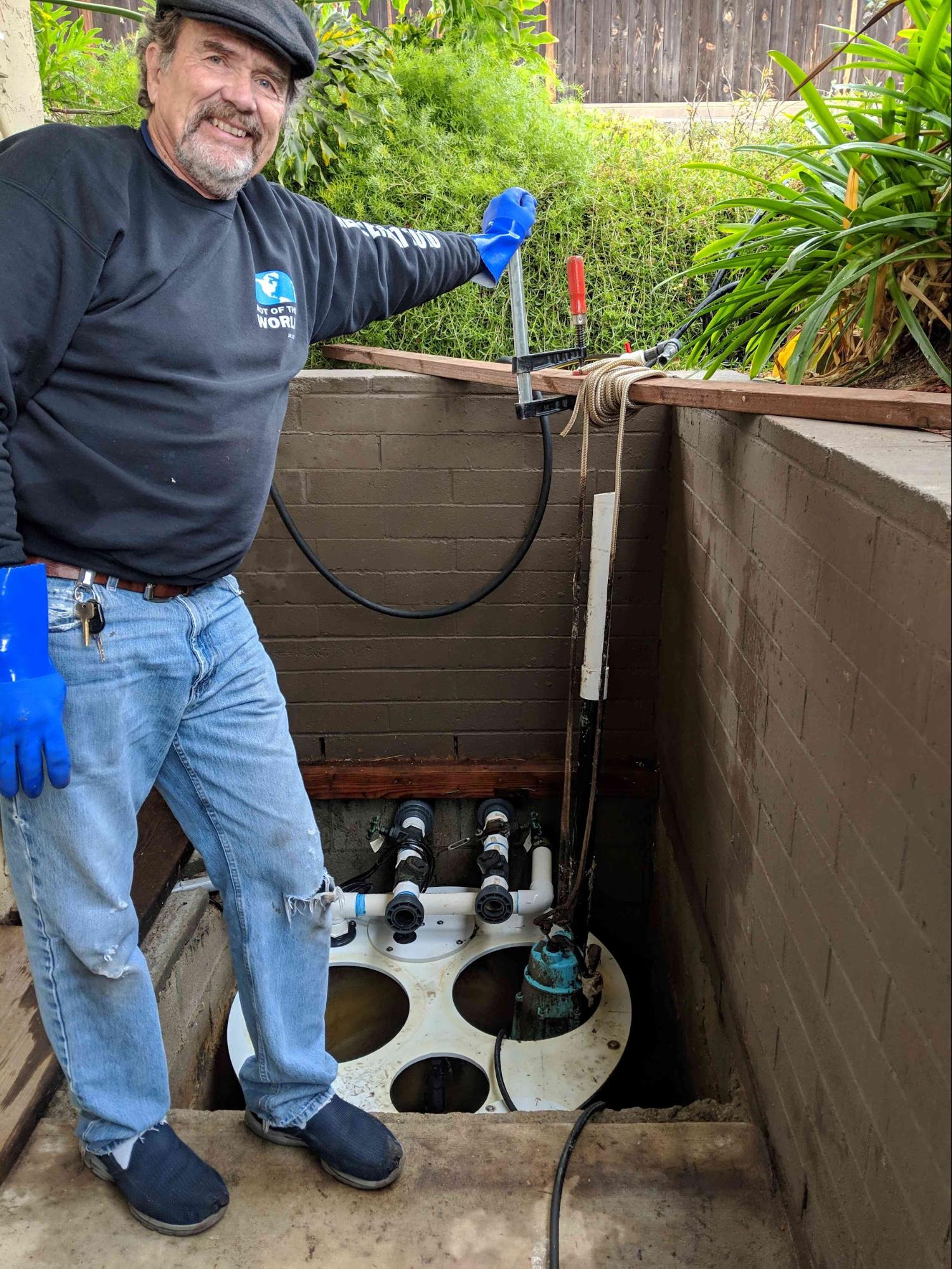
Ken is a new Arduino enthusiast and semi-retired (He still teaches some public health classes at a local university.)









Faith Poo, I love it Ken! Great work indeed.
This is brilliant!